


MagicBands can be confusing, and MagicBand+ adds a whole new layer of things to figure out.

Tapping our MagicBand+!
A lot of people stress over their MagicBand+ batteries running out in the parks, but here’s the thing: you might not need to panic at all. We’ve been hearing a lot of guests talk about their bands “not working” when the lights and vibrations stop, but that’s not actually the case. Let’s go over what your MagicBand+ can and can’t do once the battery dies so you don’t get caught making this very common mistake.

Thinking Your MagicBand+ Won’t Work If the Battery Is Dead
This is probably the biggest misunderstanding happening with MagicBand+. Guests assume that once the band dies, it stops doing everything. That’s simply not true.

MagicBand+
Here’s the real scoop: when the battery is dead, you’ll lose the “plus” features of MagicBand+ like the lights, haptics (the little buzzes), and interactive elements with certain statues, fireworks, and shows. But the base functionality of the MagicBand still works, even without a charge. That means you can still use your MagicBand+ to:
- Tap into the parks at the entrance
- Scan into Lightning Lanes (if you bought them for an attraction)
- Unlock your Disney Resort hotel room door
- Charge purchases to your room (if you’re staying at a Disney Resort and have charging privileges)

Your MagicBand+ will unlock effects around the park!
So yes, your MagicBand+ might look like it’s “dead” when the lights don’t flash, but it’s still very much alive when it comes to the essentials.
What Actually Stops Working
It’s important to separate the extras from the must-haves. The features you lose with a dead MagicBand+ battery are all the newer, fun-but-not-essential ones. For example:
- No more glowing and vibrating along with nighttime shows like Happily Ever After or Fantasmic!
- No more interactions with the 50th Anniversary golden character statues across the parks
- No more lights or buzzes during rides like Star Wars: Galaxy’s Edge experiences

MagicBands+
In other words, the “show” side of MagicBand+ goes away once the battery runs out. But the utility side of your band is totally fine.
Why People Keep Getting This Wrong
It’s easy to see why so many guests misunderstand this. MagicBand+ is branded as an upgrade, and the lights and haptics are the most obvious differences from the original MagicBand. So when those stop working, it feels like the whole device is useless.

Beauty and the Beast Sing Along
The problem is that many people assume the MagicBand+ is just like a phone or smartwatch — if the battery dies, it can’t do anything. But that’s not how Disney designed it. The essential RFID chip (the part that connects to park systems like your park tickets and hotel room access) doesn’t rely on the rechargeable battery. That chip works even when the rechargeable part is drained.
What You Should Actually Do
If you’re worried about your MagicBand+ running out of juice, here are some tips to keep things stress-free:
- Charge Overnight: Just like your phone, plug in your MagicBand+ while you sleep. That way it’s fully charged for the morning.
- Bring the Charger: The charging cable is small and easy to toss in your bag. If you care about the lights and interactive features, you can recharge during a midday break.
- Don’t Panic If It Dies: Remember, the critical functions still work! You won’t be locked out of your room or stuck at the park gates.
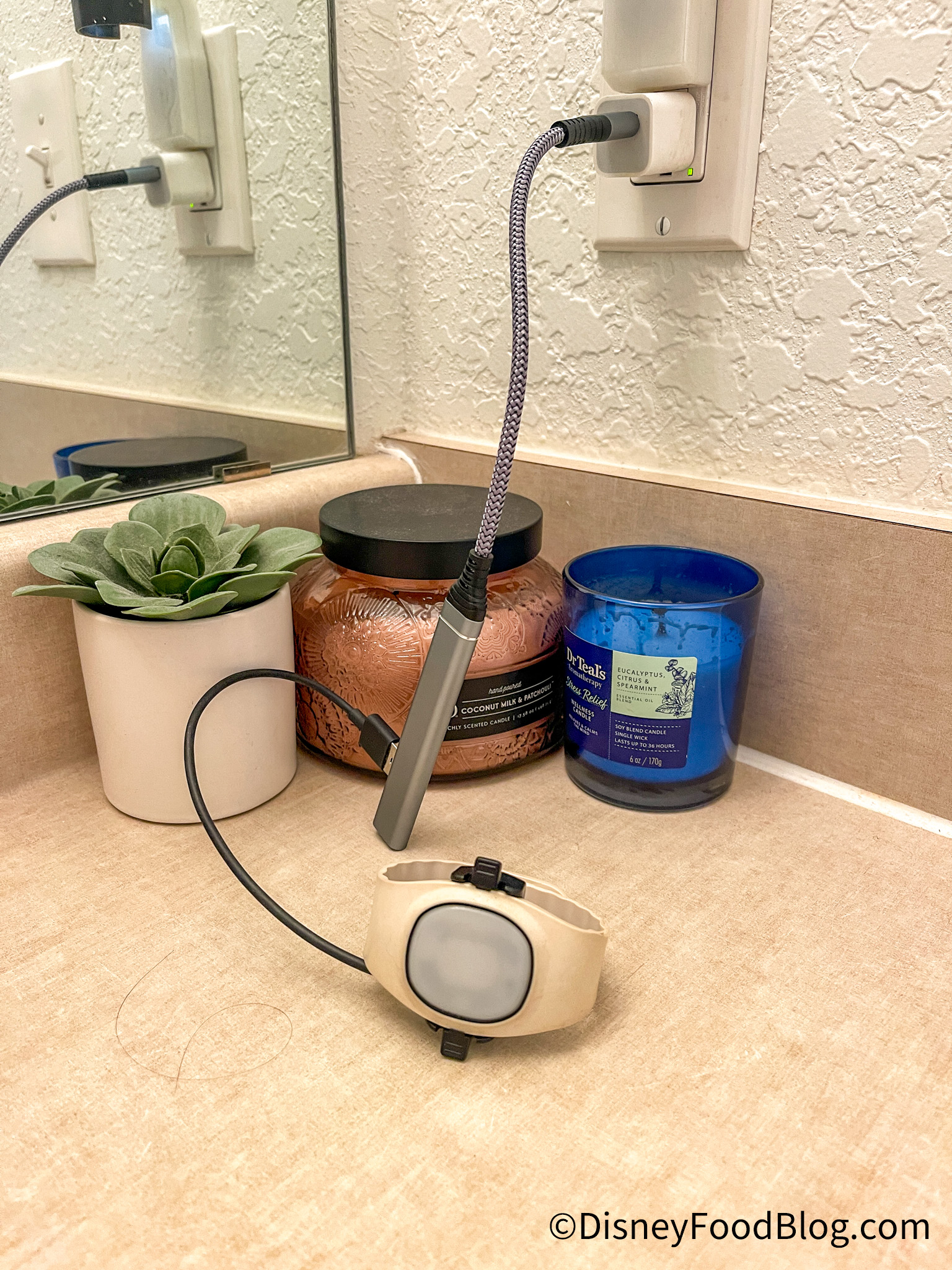
MultiCharger for MagicBand+
So while it’s nice to have the interactive features going strong all day, you don’t actually need a full charge for your MagicBand+ to do its job.
The Bottom Line
People keep getting this MagicBand+ problem wrong because it seems natural to assume a “dead” device can’t do anything. But with MagicBand+, the basics still work even when the extras don’t. Knowing that can save you a lot of stress in the parks.

MagicBand+
As always, we’re here to help you avoid the common pitfalls before you set foot in Disney World. That way, you can focus more on making memories and less on worrying about whether your MagicBand+ is going to leave you stranded.
Stay tuned to DFB for all your Disney World news!
Three Disney World MagicBand Rules You Should Break
Will you be using MagicBand+ on your next Disney World trip? Let us know in the comments!
The post People Keep Getting This MagicBand+ Problem WRONG in Disney World first appeared on the disney food blog.